Table of Contents (9 sections)
Understanding Digital Art Software
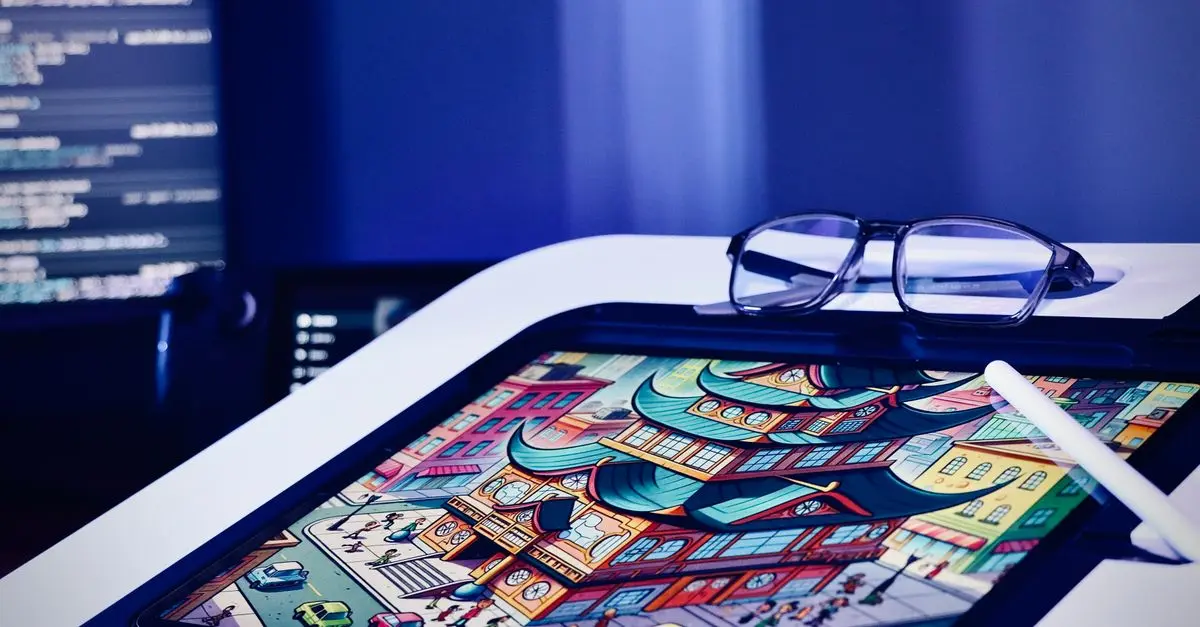
Digital art software has revolutionized the way artists create, offering diverse tools for both amateurs and professionals. Digital art utilizes tech solutions, making traditional art forms accessible on a digital canvas. Photoshop, Corel Painter, and Krita are notable names that provide robust features from sketching to painting. These tools allow exploration of various art styles without investing in physical materials. According to Statista, digital art software's market size is expected to grow significantly by 2026, highlighting its relevance. Understanding why you want to delve into digital art is crucial: is it hobby, passion, or profession? Each purpose may require different features, influencing your software choice.
Step-by-Step Guide to Choosing Software
- Identify Your Needs: List what you want from digital art software. Are you focusing on illustration, photo-editing, or 3D modeling? Features vary widely.
- Research Software Options: Investigate popular options like Adobe Illustrator for vector art or Blender for 3D modeling. Note the differences and align them with your goals.
- Test Trials and Free Versions: Most software offers trials. For example, Clip Studio Paint provides a trial with comprehensive features. Testing helps in evaluating user experience and capabilities.
- Assess your Budget: Software can range from free (like GIMP) to costly subscriptions (like Adobe Creative Cloud). Consider both your immediate needs and long-term financial commitment.
- Community and Support: Engagement in communities like forums or online groups is valuable. Software like Procreate has active forums where users share tips and support one another.
- Check Compatibility: Ensure the software works on your device. Not all tools are cross-platform. Some are exclusive to macOS or Windows.
- Learn the Basics: After selection, take advantage of tutorials and guides. YouTube channels like Ctrl+Paint offer beginner-friendly lessons.
📺 Ressource Vidéo
> 📺 Pour aller plus loin : How to Get Started with Digital Art, an insightful guide on making the most of digital art tools. Search on YouTube: "beginner digital art tutorials 2026".
Comparative Overview
| Feature | Photoshop | Krita | Corel Painter | Verdict |
|---|---|---|---|---|
| Cost | $20.99/mo | Free | $429 | Best value: Krita |
| Platform | Cross | Cross | Cross | Universal |
| Complexity | High | Medium | High | Best for beginners: Krita |
| User Support | Strong | Good | Excellent | Best support: Corel Painter |
Diving deeper into digital art software, Forbes notes a rising trend in online art classes, indicative of increasing demand for digital art skills. Surveys show that 60% of new digital artists focus on illustration and graphic design, thanks to intuitive interfaces offered by software like Affinity Designer.
- What is digital art software?
Digital art software includes applications that enable artists to create artwork using digital tools, simulating and expanding on traditional methods.
- Is free software like GIMP as good as paid options?
Free software often has fewer features and support than paid ones, but it can be suitable for beginners and intermediate artists.
- How hard is it to learn digital art software?
With numerous resources and communities, learning digital art software is accessible, although mastering it takes time and practice.
- Can I use digital art software on a tablet?
Many digital art applications are optimized for tablets, often offering enhanced functionality such as stylus pressure sensitivity.
Glossary
| Term | Definition |
|---|---|
| Vector | A form of digital graphics made from geometrical formulas. |
| Raster | Images made of pixels, suited for photo editing. |
| Rendering | Process of generating an image from a model. |
🧠 Quiz rapide : What feature is crucial when choosing digital art software?
- A) Cost
- B) Community support
- C) Compatibility
Réponse : C — Ensuring your device supports the software is fundamental.